
Why Are My Precision Tweezer Tips Not Aligning? 7 Causes and Fixes
If one tweezer tip sits higher, lower or to the side of the other, tiny SMD components can become difficult to grip and release. This guide explains how to identify contamination, bending, wear and handling damage before deciding whether the tool can still be used.
ANSWER
Tweezer tips usually stop aligning because of physical deformation, impact, side loading, contamination, uneven wear or improper storage. Before assuming the tool is permanently damaged, clean both tips and inspect them under magnification. If the metal itself is bent or the contact geometry is permanently changed, aggressive re-bending or grinding can reduce precision further.
Precision tweezers depend on two tips meeting at a predictable point. This becomes increasingly important as component size decreases.
When working with very small parts such as 0201 and 0402 SMD components, even a small difference between the two tip positions can cause the part to rotate, escape from the grip or land incorrectly on the PCB.
If you regularly handle miniature components, also read our guide to choosing tweezers for 0201, 0402 and 0603 SMD components .
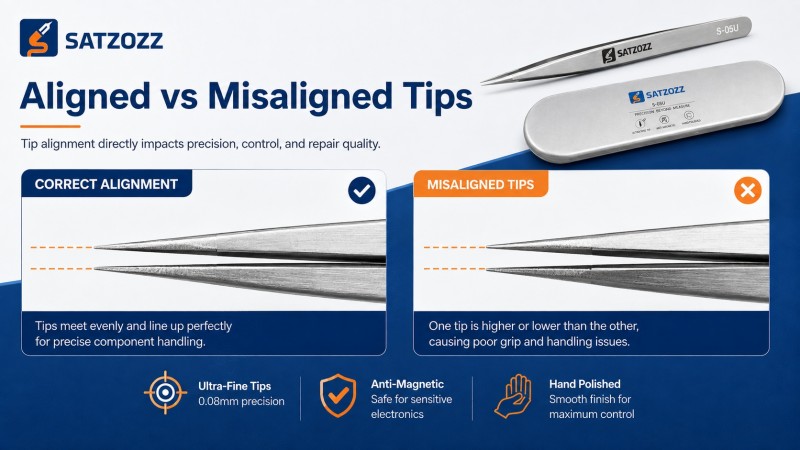
How Do You Know If Tweezer Tips Are Misaligned?
First distinguish actual deformation from dirt or poor gripping technique.
Both tips meet consistently
- The contact point is centered.
- Both tips touch at approximately the same time.
- The component stays centered during light gripping.
- No large lateral gap appears under magnification.
One tip contacts first
- One tip sits above or below the other.
- The tips cross instead of meeting evenly.
- Small components rotate during gripping.
- A visible gap remains when the tool is lightly closed.

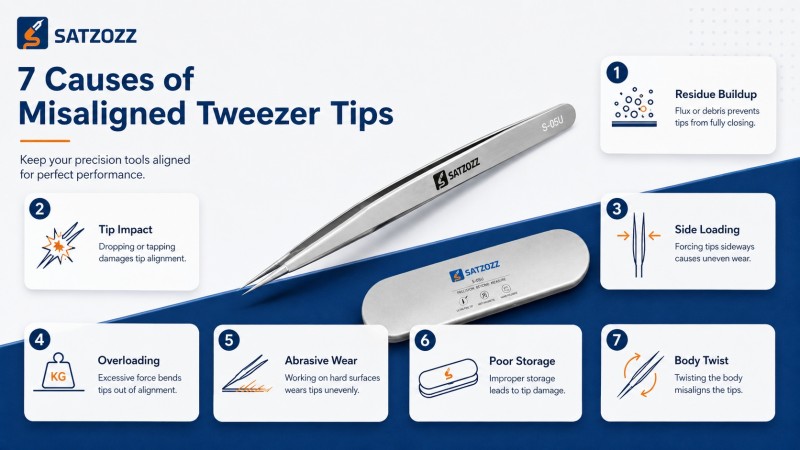
7 Common Causes of Misaligned Tweezer Tips
Start with the easiest problems to rule out before assuming permanent damage.
Flux or Solder Residue Is Stuck to the Tips
Dried flux, adhesive, solder contamination or debris can build up on one tip and create the appearance of poor alignment.
The Tweezers Were Dropped Tip-First
Ultra-fine tips contain very little material at the gripping point. A direct impact with a workbench or floor can bend one tip enough to change its contact geometry.
The Tweezers Were Used as a Pry Tool
Precision tweezers are designed primarily to grip and position small objects. Using the tips to pry shields, lift connectors or scrape hardened material creates sideways force that can bend the points.
The Tips Were Forced Around a Hard or Oversized Part
Ultra-fine tweezers are optimized for precision rather than heavy mechanical force. Gripping a thick, rigid part near the tips can place unnecessary stress on the narrowest section.
One Tip Has Been Worn More Than the Other
Repeated filing, sanding or aggressive scraping can change the geometry of precision tips. Removing more material from one side makes the contact surfaces unequal.
The Tweezers Were Stored Under Pressure
Precision tools should not be stored beneath heavy objects or with their tips pressed against the inside of a toolbox.
Even when the immediate effect is small, repeated impacts and pressure increase the risk of tip damage.
The Tweezer Body Itself Has Twisted or Deformed
Sometimes the problem is not limited to the last millimeter of the tip. A bent arm or twisted body changes the entire closing path and makes accurate tip contact impossible.
Quick Troubleshooting Table
Match the visible symptom to the most likely cause.
| What You See | Possible Cause | First Action |
|---|---|---|
| Sticky material on one tip | Flux or adhesive residue | Clean before diagnosing |
| One tip suddenly sits lower | Impact or bending | Inspect after a recent drop |
| Tips cross sideways | Side loading or body twist | Stop using for precision work |
| Tips have different shapes | Uneven wear or abrasive cleaning | Inspect under magnification |
| Alignment changes only when squeezed hard | Excess force or body deformation | Test using light closing pressure |
| Small components rotate in the grip | Tip misalignment or uneven contamination | Clean and inspect contact point |
How to Check Tweezer Alignment Correctly
A simple inspection process prevents unnecessary adjustment.
Clean Both Tips
Remove visible flux, adhesive or debris so contamination does not create a false diagnosis.
Use Magnification
Inspect the contact point with a microscope, loupe or other suitable magnification.
Close the Tweezers Lightly
Do not squeeze hard. Observe where the two tips first contact each other.
View From the Top and Side
A top view reveals lateral crossing while a side view reveals vertical height differences.
Inspect the Entire Tweezer Body
Check whether the problem begins at the point or farther back along one arm.
Test With a Non-Critical Component
Confirm that the tool grips and releases a small component predictably before returning to a valuable PCB.
Can You Bend Precision Tweezer Tips Back Into Alignment?
Sometimes—but ultra-fine tips require caution.
Minor deformation may sometimes be adjustable by an experienced technician, but very fine precision tips are easy to over-correct.
Repeated bending can also make the two tips different in shape, contact angle or spring behavior even if they look aligned from one viewing direction.
Better Practice
- Clean before making any adjustment.
- Inspect under magnification.
- Use minimal corrective force.
- Check from both top and side views.
- Retest with a non-critical component.
Avoid
- Repeatedly bending the tips back and forth.
- Using pliers directly on an ultra-fine point.
- Grinding one tip until it appears to match.
- Testing on an expensive motherboard first.
- Continuing to use severely deformed tips.
When Should You Replace Precision Tweezers?
Not every damaged fine tip should be repaired.
Replace the tool for precision work when:
- The tip is visibly cracked, chipped or badly flattened.
- The tweezer body is twisted.
- Repeated adjustment cannot restore predictable contact.
- 0201 or 0402 components repeatedly rotate or escape.
- The tips only align when excessive hand pressure is applied.
- The gripping surfaces have been heavily ground or worn.
For microsoldering, predictable repeatability matters more than keeping a damaged tool in service.
How to Prevent Tweezer Tips From Going Out of Alignment
Ultra-fine points last longer when they are treated as precision instruments.
- Store precision tweezers in a protective case.
- Keep the tips away from other heavy tools.
- Never use ultra-fine tweezers as a pry bar.
- Use a stronger tweezer for large mechanical parts.
- Clean flux and adhesive residue regularly.
- Avoid aggressive filing and sanding.
- Inspect tip alignment before working on very small components.
- Use only the gripping pressure necessary to control the part.
If you are unsure which tip geometry is better for a particular repair, see Straight vs Curved Precision Tweezers .
Why Misalignment Matters More for 0201 and 0402 Components
Smaller parts provide less margin for gripping error.
A slight alignment error that may be almost invisible when handling a large connector can become obvious with a component measuring only a fraction of a millimeter.
With a tiny SMD component, one tip may contact first and push the part away before the second tip provides support.
This can cause:
- Unexpected component rotation
- Parts jumping from the tips
- Difficulty centering a component over PCB pads
- Excess gripping force
- Reduced placement repeatability
For component-specific guidance, read Best Tweezers for 0201, 0402 and 0603 SMD Components .
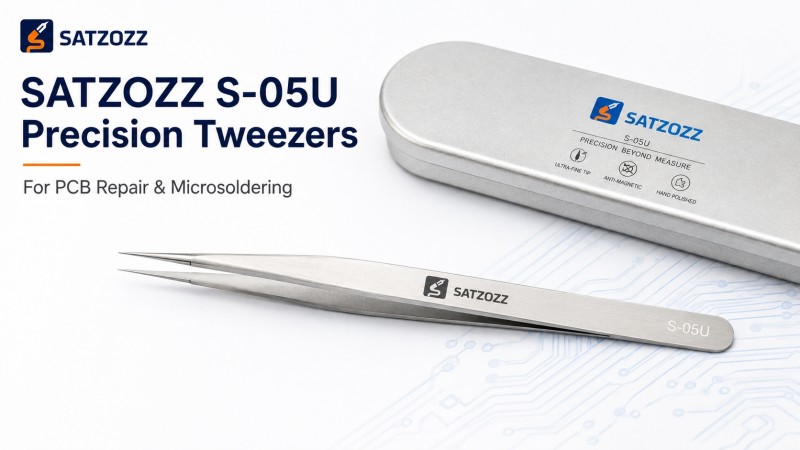
S-05U Ultra-Fine Precision Tweezers
SATZOZZ S-05U precision tweezers are designed for high-precision microsoldering and electronics repair work where controlled component handling is required.
- Ultra-fine precision tip
- Anti-static stainless steel construction
- Designed for microsoldering workstations
- Suitable for PCB repair and rework
- Suitable for fine-component placement
- Sample and wholesale support available

Precision Tweezer Alignment Questions
Quick answers for PCB repair technicians.
Why are my tweezer tips not aligning?
Common causes include flux or adhesive contamination, tip impact, side loading, overloading, uneven wear, poor storage and deformation of the tweezer body.
How can I tell if precision tweezers are bent?
Clean the tips, close them lightly under magnification and inspect from both the top and side. A permanent lateral or vertical offset may indicate bending.
Can misaligned tweezer tips be fixed?
Minor deformation may sometimes be adjustable, but ultra-fine tips are easy to over-correct. Severely damaged or repeatedly bent precision tips should normally be replaced.
Why do tiny components fly out of my tweezers?
Excess gripping pressure, contaminated tips, poor alignment or unsuitable tip geometry can cause a small component to rotate or escape suddenly.
Should tweezer tips touch perfectly?
Precision tweezers should provide predictable contact at the intended gripping area. For ultra-small components, accurate matching of the two tips becomes especially important.
Can flux residue make tweezers look misaligned?
Yes. Hardened or sticky residue on one tip can change the apparent contact point and gripping behavior. Clean the tool before diagnosing mechanical damage.
How should I store precision tweezers?
Keep them in a protective case or dedicated storage position where the fine tips cannot strike or be compressed by other tools.
Precision Depends on Consistent Tip Contact
Explore SATZOZZ precision tools for SMD component handling, PCB repair and microsoldering applications.
View S-05U Tweezers Request Sample & Quote